
ESP32-S3 Advanced Web Portal & File Management System
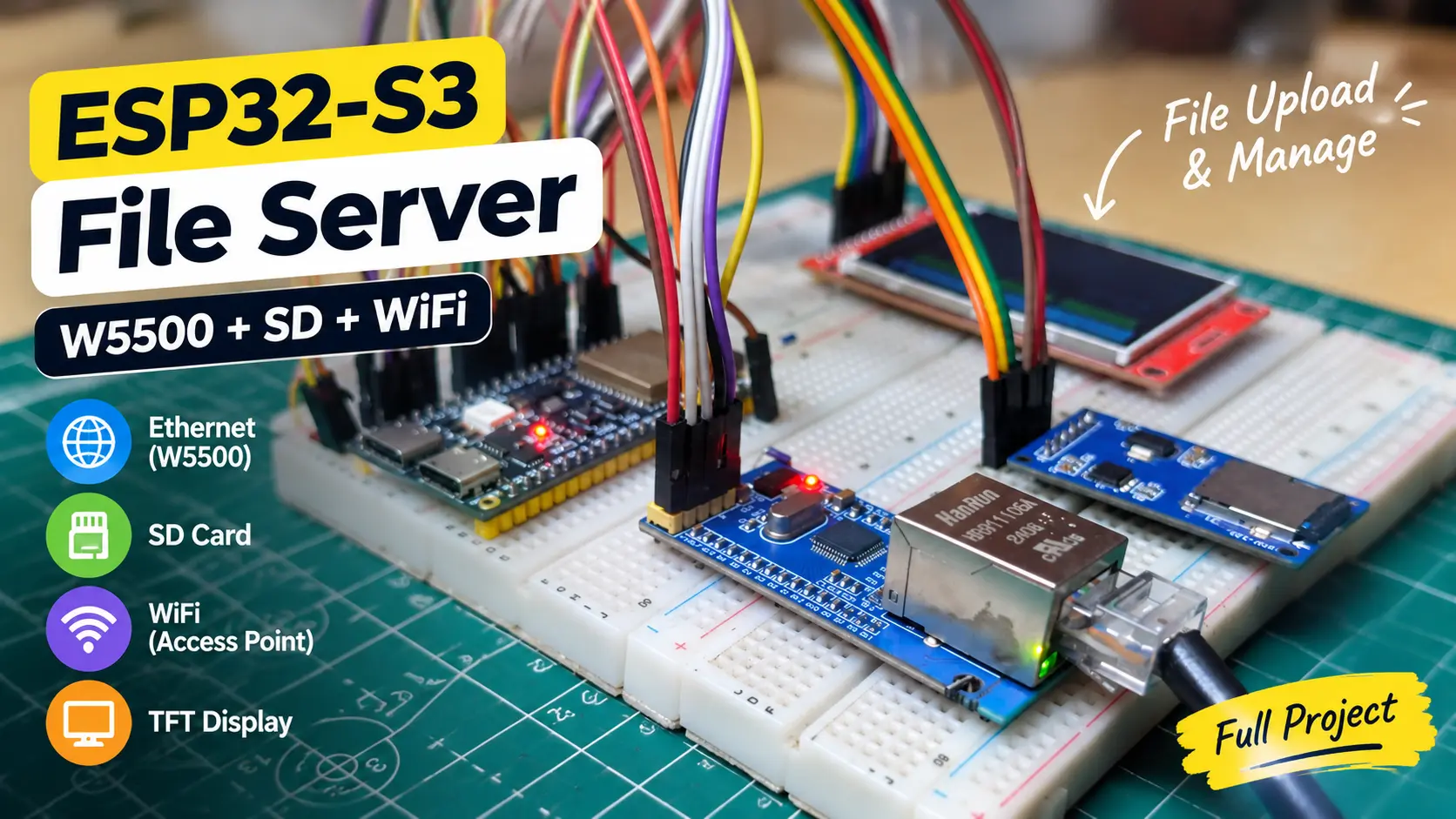
Table of Contents
Overview
This project turns an ESP32-S3 N16R8 into an embedded Web Portal and local file-management platform.
The main focus of this project is the browser-based Web Portal. After connecting to the ESP32-S3 through Ethernet or WiFi, an authorized user can open the portal and manage files stored on the MicroSD Card.
The system includes:
- 🔐 Secure login and session-based authentication
- 👥 Admin and user roles
- 📂 File manager
- ⬆️ File upload
- ⬇️ File download
- 🗑️ File management/delete operations
- 📊 System and storage status
- 🌐 W5500 Ethernet as the primary network
- 📶 WiFi as a backup network
- 🖥️ 2.4" ILI9341 TFT status display
- 💾 Dedicated SPI bus for the MicroSD card
- 🔄 Resumable/chunk upload support
- ⚙️ WiFi configuration and persistent settings
The firmware uses an embedded WebServer running on port 80.
Hardware Components
ComponentDescriptionQuantityESP32-S3 N16R8Main microcontroller1W5500 Ethernet ModulePrimary Ethernet interface1MicroSD Card ModuleFile storage1MicroSD CardStorage media12.4" ILI9341 TFTWeb server/device status display1Green LEDNormal/ready status1Blue LEDNetwork/status indication1Red LEDFault/error indication1BuzzerFault alert1Push ButtonManual reset1Jumper WiresConnectionsAs required5V Power SupplySystem power1
Main Features
FeatureDescription🌐 Advanced Web PortalBrowser-based control and file-management interface🔐 Secure LoginSession-based authentication before protected pages👑 Admin RoleAdministrative operations are protected👤 Multi-User SystemSupports multiple portal users/sessions📂 File ManagerBrowse and manage files stored on MicroSD⬆️ File UploadUpload files through the browser🔄 Resumable UploadChunk-based upload with progress/offset handling⬇️ File DownloadDownload stored files through the portal🗑️ File ManagementManage/delete stored files according to permissions📊 System DashboardNetwork, storage, memory and runtime information🌐 W5500 EthernetPrimary wired network interface📶 WiFi BackupUses saved WiFi credentials when Ethernet is unavailable⚙️ WiFi Config PortalCaptive-style setup portal for initial WiFi configuration🖥️ TFT StatusBoot, network and upload/status information💾 Dedicated SD SPISD card is isolated from the W5500/TFT SPI bus💡 Status LEDsGreen/blue/red hardware status indication🔔 Fault BuzzerHardware fault indication🔄 Manual ResetLong-press reset input
Web Portal
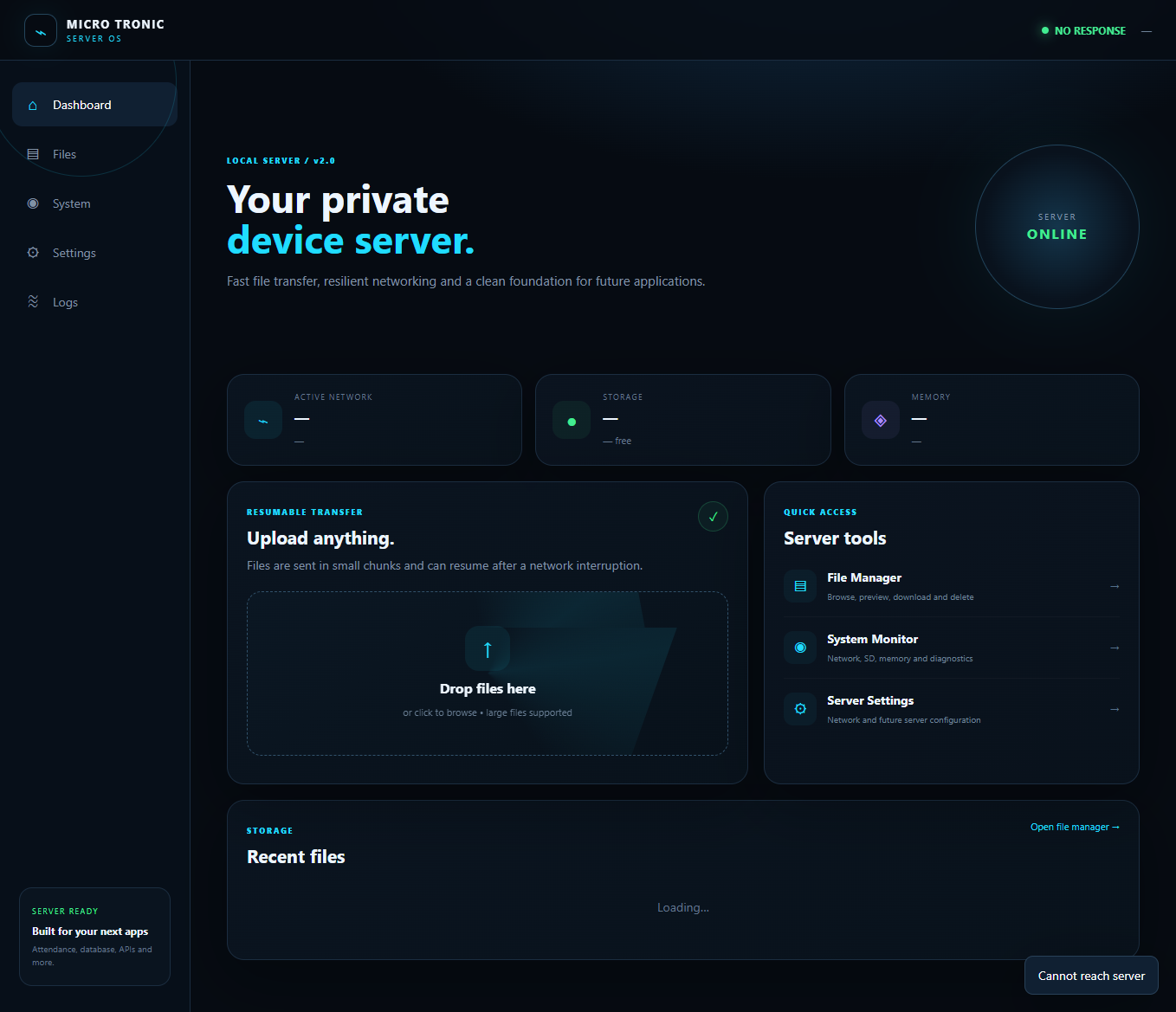
The dashboard is intended to provide a central view of:
- Current network mode
- IP address
- Ethernet/WiFi state
- SD card availability
- Storage usage
- Free heap / memory information
- PSRAM information
- Uptime
- Upload status/speed